UpworkUpwork56Your 56 accountYour bank or wallet

Get paid from Upwork
straight into 56.

Your own USD account details, in your own name. No more routing through PayPal or Wise. Payouts land straight in 56, and you withdraw to pesos in minutes.

Invite-only. Invites go out in small groups.
Why withdraw with 56

Faster withdrawals, in your own name.

Pesos in your bank or wallet in minutes.A USD account in your business's name.One record of every payment you receive.
56Direct to 56
Wisevia Wise
PayPalvia PayPal
Upwork to PHP bank
Pesos in your wallet
Minutes
Minutes to 2 days
2 to 4 business days
Up to 4 business days
USD account in your name

Money moves in two legs: Upwork to your account over ACH, then out to pesos. Each provider sets its own rates and shows them before you confirm; 56 shows the exact peso amount before you send.

Connect Upwork

How to connect to Upwork.

Two in 56, two in Upwork. Then never again.

56in your 56 app
1Step one

Open your account.

Open your account details on your dashboard.

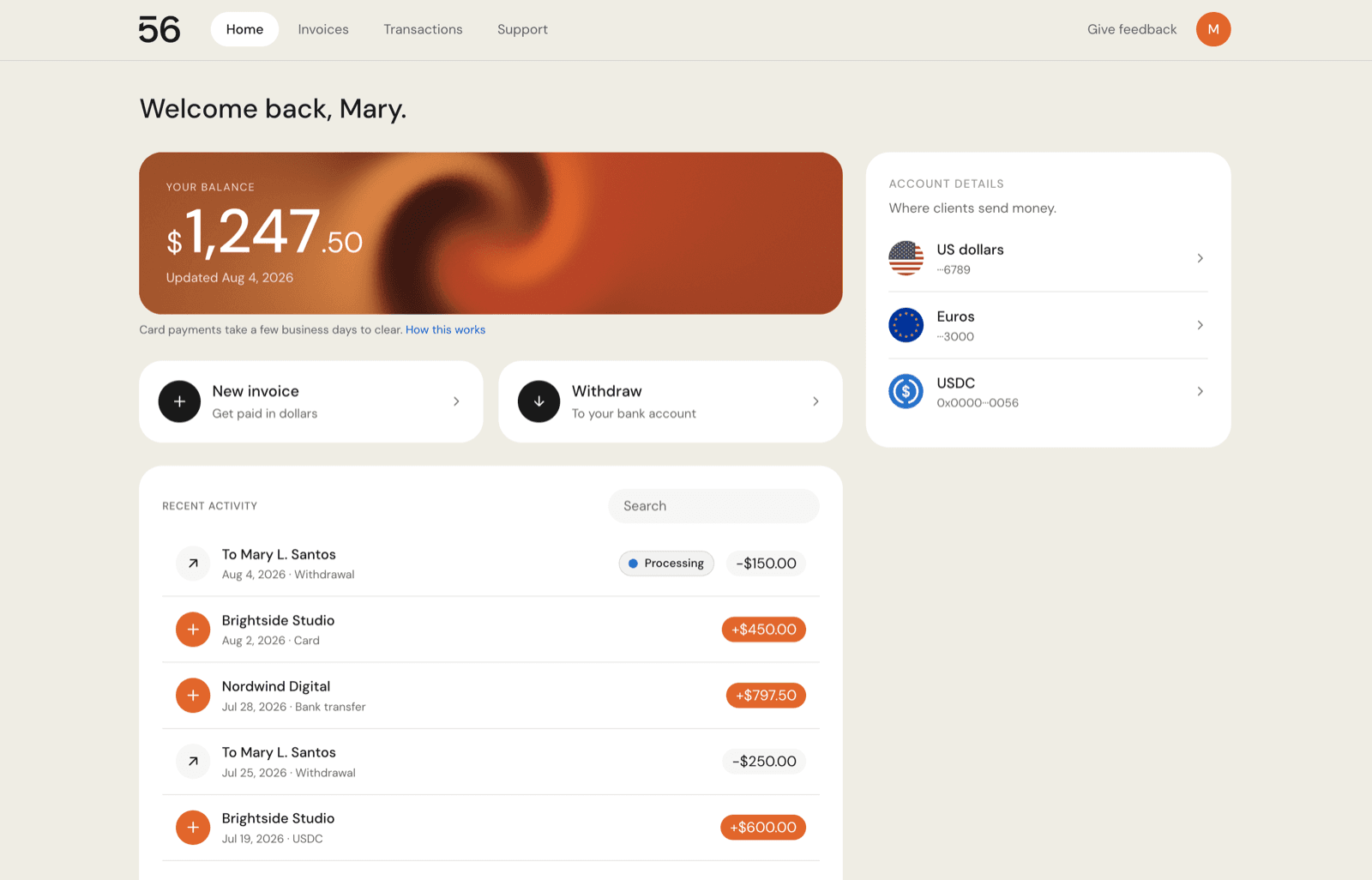
The 56 home screen: your dollar balance, and the account details panel showing where clients send money.
Your 56 home screen. Account details sit on the right, one tap away.
56in your 56 app
2Step two

Copy your details.

Copy the routing number, account number, account type and name.

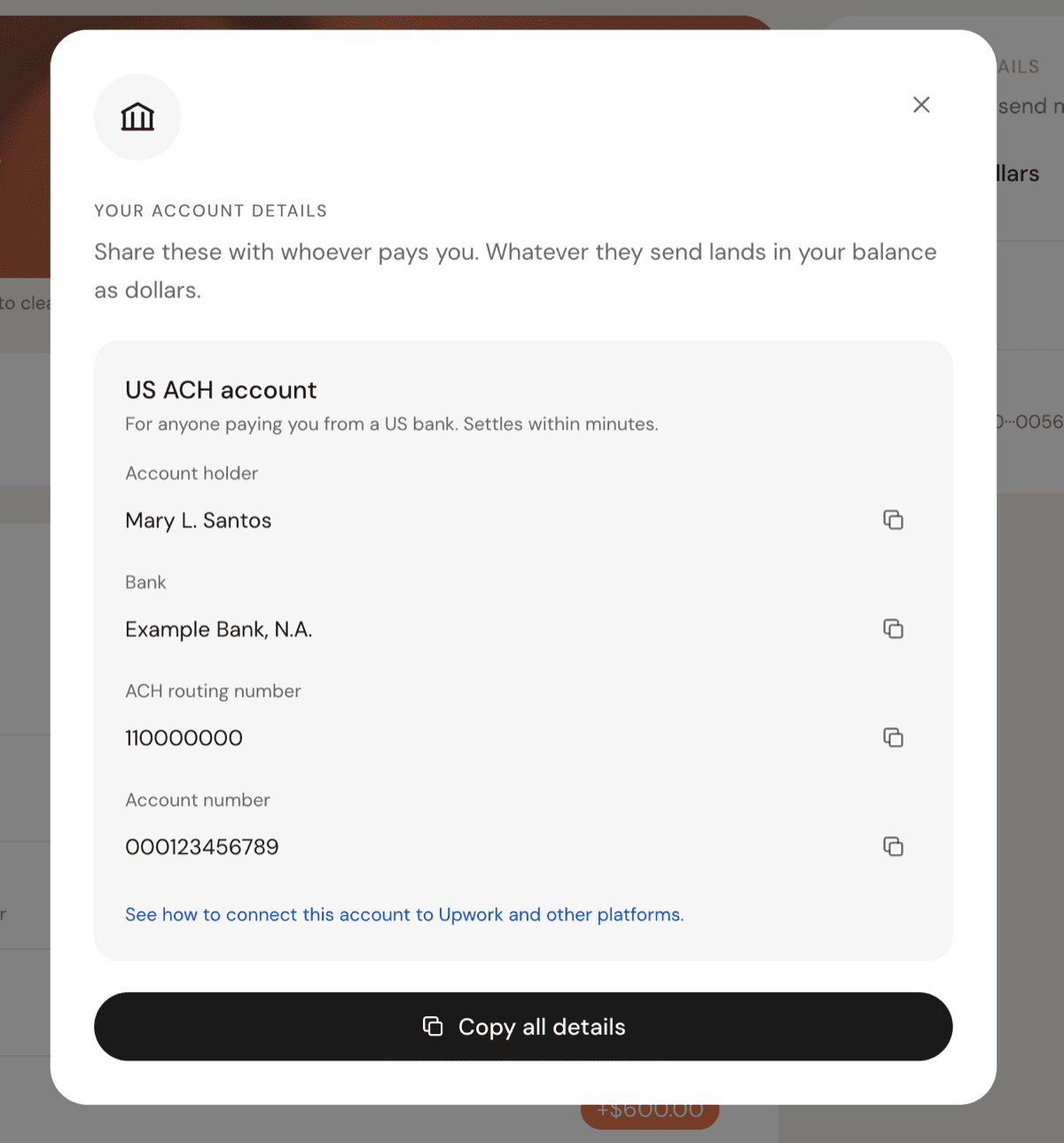
The 56 account details panel: account holder, bank, routing number and account number, each with a copy button.
Your US account details in 56, with a copy button for each field.
Upworkon Upwork
3Step three

Add a withdrawal method.

In Upwork: Settings, Payments, Withdrawal methods, Add method. Choose Direct to U.S. Bank, paste your details, confirm.

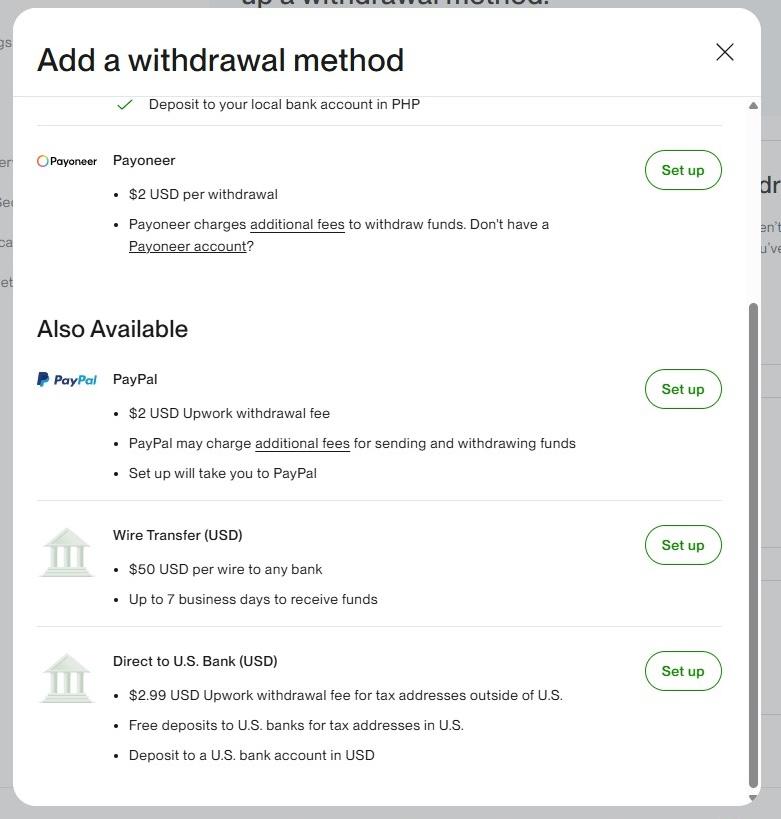
Upwork's Add a withdrawal method dialog, with Direct to U.S. Bank (USD) listed under Also Available.
Upwork's own dialog. Direct to U.S. Bank sits under Also available.
56in your 56 app
4Step four

Congrats, you're set up.

Every payment you receive builds your business's own record of income, in one place.

Questions

Everything worth asking.

Yes, if the business is registered. SEC for corporations and OPCs, DTI for sole proprietors. A registered business of one is still a business. You get US dollar account details in your business's name, and you withdraw to pesos whenever you want.

Receiving is free. Incoming wires: $24 / $28. Sending dollars: 0.3% + the bank's fee. Withdrawing in another currency: 1%. USD to USDC and USDC to USD have no conversion fee. Invoices and payment links paid by bank transfer or USDC: free to receive. The payer pays exactly the invoice total, with no payer fee. Cards are not offered. Minimum fees apply. See get56.io/pricing for the full table. Withdrawing to PHP: 1%, minimum fee $2.

Upwork sends it over ACH, the U.S. bank network, so it takes a few business days to arrive. A new withdrawal method also activates three days after you confirm it.

Upwork flags the method and you will need their support to fix it. Your 56 account carries your legal name, so use the same name you verified on Upwork.

No. Keep Upwork exactly as it is: the time tracker, escrow, contracts and your clients. The only thing that changes is where the money lands.

Get paid from anywhere.